Kiosk Mode
On This Screen
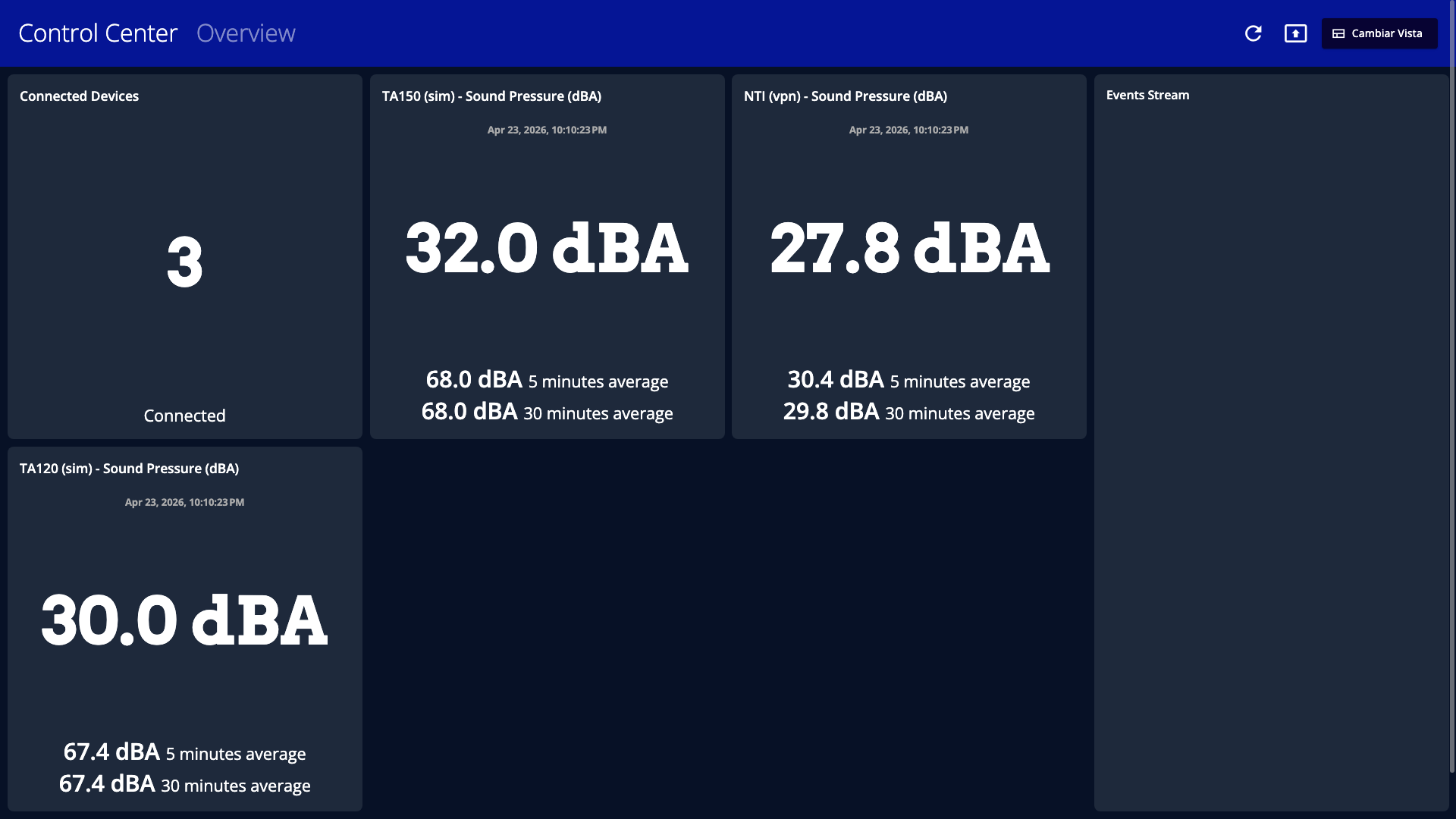
- Kiosk mode removes the side navigation so the dashboard can fill the available screen space.
- Cards expand into a presentation-friendly grid with larger values and fewer distractions.
- Use the refresh and exit controls in the top bar while the screen is running unattended.
Kiosk mode is designed for wall displays and presentation screens.
What changes in kiosk mode
- The dashboard switches to a fitted layout optimized for a fixed grid.
- Connected devices and event stream visibility are recalculated for kiosk layout.
- EMMA can ask you to enter browser full screen when kiosk mode starts.
- Custom widgets can hide their chart in kiosk mode if that option was chosen during setup.
Recommended use
- Use kiosk mode for screens that must stay visible in an operations room.
- Use it for client-facing monitoring displays.
- Keep at least one saved view optimized for large screens if kiosk mode will be used regularly.