User-defined Events
On This Screen
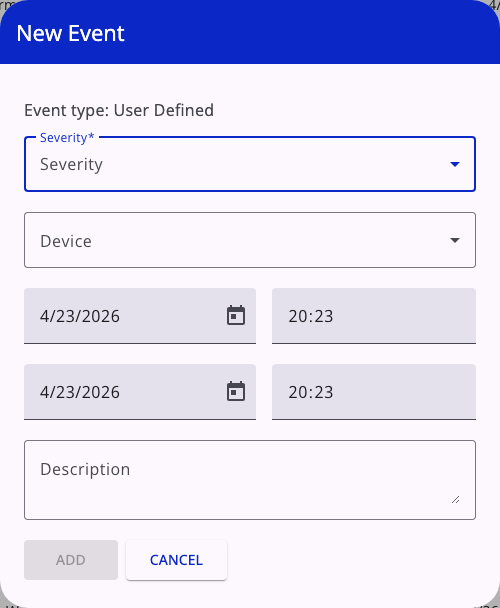
- Select the severity and the device that the manual event should be linked to.
- Set the start and end timestamps for the event interval.
- Add a description and save the event so it appears in the project event history.
Opening an event
Click an event row to open its detail panel.
- User-defined events can be edited.
- Non-user-defined system events open in read-only mode.
- The detail panel shows severity, device, start and end time, and description.
Creating a user-defined event
The floating + button creates a new project event.
When creating a user-defined event, you can set:
- severity
- device
- start date and time
- end date and time
- description
EMMA validates that the end date and time are not earlier than the start date and time.
Editing and deleting
- User-defined events can be edited from the event detail panel.
- User-defined events can also be deleted from the row action menu.
- System-generated events are not documented as removable from this page.
Recommended workflow
- Start with the severity filters to reduce noise.
- Review pending events first.
- Use
Ackfor one confirmed incident. - Use
Ack allwhen many pending rows belong to the same situation. - Open the related device when you need deeper operational context.